Contents

Sync principles

StudioDash is designed to make provider data state visible. A useful dashboard should show when data was last checked, whether a provider needs attention, and whether data is unavailable because a provider is unconfigured or has not returned data yet.

Provider-dependent cards remain visible so users can understand which integration is needed instead of wondering why a section disappeared. This is especially important in Live Mode, where demo records must not fill gaps in real provider data.

  • Opening the app or viewing provider details should not imply that every provider has just synced.
  • Manual provider sync and refresh-all actions are separate from setup and scheduled refresh behavior.
  • Provider data is read from saved configuration, provider cache, and current sync state rather than from public documentation placeholders.

Provider health

Provider health is a core part of the StudioDash experience. The app uses clear status language so users can distinguish healthy providers from providers needing attention, errors, not configured providers, and planned integrations.

This status language is not decorative. It explains whether the user should configure access, review permissions, wait for data, retry a sync, or treat a provider as future coverage.

  • Healthy: provider access and recent data state look usable.
  • Attention Required: configuration, permissions, cache state, or provider data needs review.
  • Error: provider access, validation, permissions, or data fetch failed.
  • Not Configured: the provider has not been set up for live data.
  • Planned: the integration is represented as roadmap or placeholder coverage.

Manual refresh and cache state

StudioDash documentation describes sync as a user-visible workflow, not a background mystery. Integration cards can show last synced, last checked, next refresh, health, and data coverage context where available.

Manual sync should be understood as provider-specific. A single provider action refreshes the selected provider, while broader refresh-all behavior is a separate operation. Setup tests validate configuration before treating saved credentials as active live access.

  • Provider details can expose read-only cache and coverage rows such as cache source, cache age, cache health, historical days available, objects cached, and last successful pull.
  • No-data states are different from errors: a provider may be connected but not have reportable data for the selected period.
  • Cache-backed history helps selected-period reporting without making startup perform unnecessary provider refreshes.

Automation roadmap

Automation features such as scheduled reports, richer refresh scheduling, forecasting, AI-assisted summaries, recommendations, and portfolio intelligence should be described as roadmap content unless publicly released.

The public product promise is that StudioDash aims to reduce dashboard switching and make repeated checks easier. Future automation should build on that promise by helping users decide what to review next, not by obscuring provider data state.

Sync state beside provider context

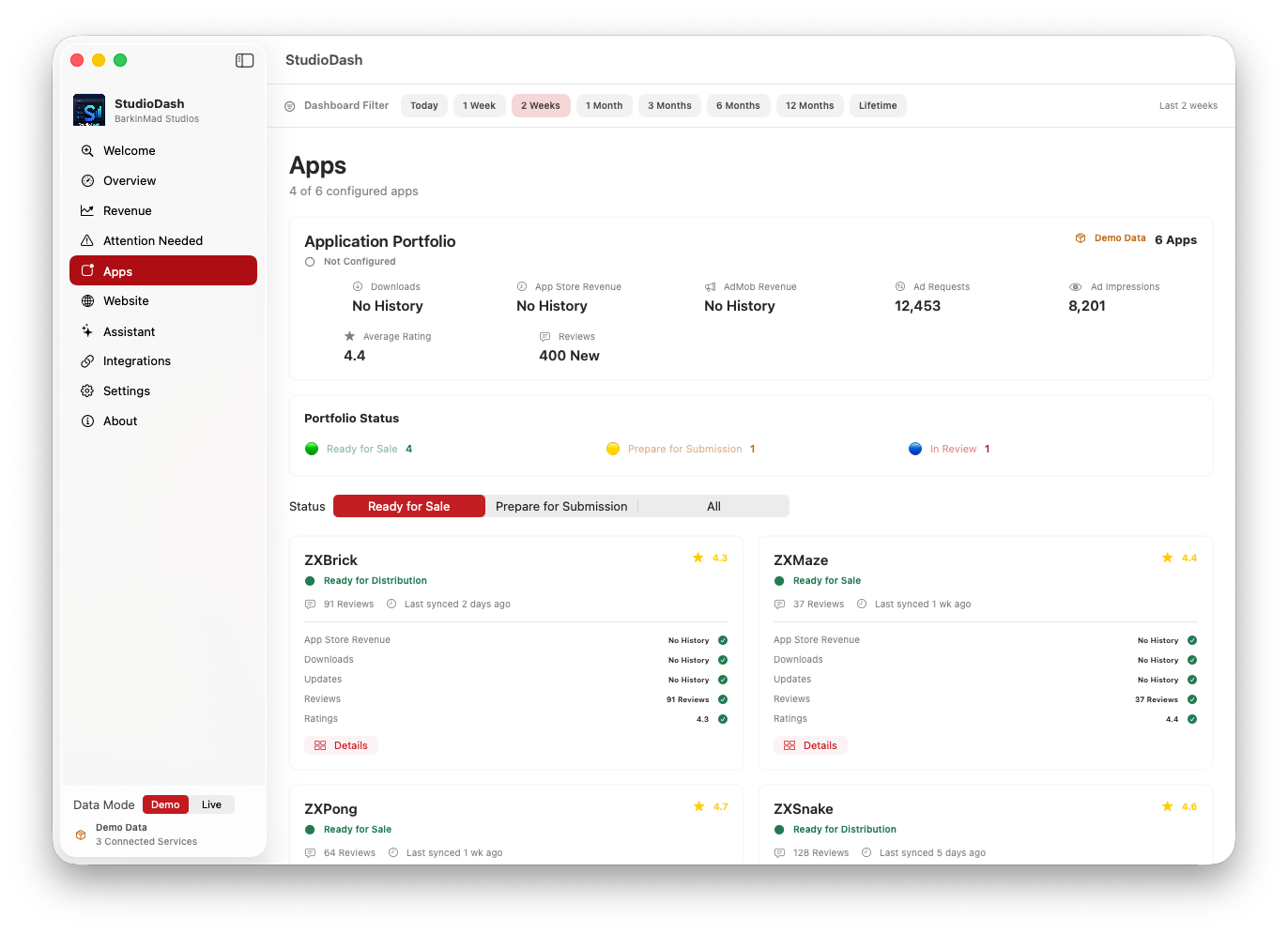
StudioDash keeps integration state close to the data it affects so users can see whether a metric is current, unavailable, or waiting for setup.

The sync model is deliberately visible. A missing chart, empty report, or unavailable metric should point the user toward the provider state that explains it, rather than hiding the card or filling it with placeholder values.

  • Shows provider health, setup state, sync timing, and data availability as part of the operating view.
  • Keeps unconfigured providers visible with clear setup messaging.
  • Leaves wider automation, scheduled reports, forecasting, and AI summaries as roadmap areas until released.
StudioDash provider analytics screen used as a temporary automation and sync showcase
Provider status artwork is used as the temporary sync showcase until dedicated automation screenshots are available.