What is StudioDash?

StudioDash is a Mac and iPad dashboard from BarkinMad Studios for indie app and game developers who need a clearer view of their products, revenue, websites, and connected services.

The app is built around a unified workspace for revenue, app status, website analytics, provider health, sync status, and historical trends. StudioDash is currently preparing for a controlled private beta before public release.

Who it is for

StudioDash is designed for solo developers, small studios, and creators who publish apps, games, or websites and want to spend less time moving between separate provider dashboards.

The product focuses on practical operating signals: which apps need attention, how revenue is moving, whether website traffic is changing, which providers are healthy, and where recent trends deserve a closer look.

  • Independent app and game developers managing Apple-platform products.
  • Small studios that need revenue, app, website, and provider status in one place.
  • Creators who want clearer trend reporting without building a custom analytics stack.

Current status

StudioDash is marked as Private Beta Planned across the BarkinMad Studios website. Documentation describes the product direction, the integration coverage currently represented in the StudioDash project, and the limited beta access route.

Where an integration is still a placeholder or roadmap item, the documentation labels it accordingly and avoids presenting planned functionality as a live feature.

Portfolio command centre

The overview screen introduces StudioDash as a single operating view for app, revenue, website, provider, and sync signals.

This matters for indie developers who need to understand product health without opening several separate dashboards. The screen is designed to show what needs attention first, then guide users toward the specialist views for revenue, App Store, website, and integration detail.

  • Shows the product portfolio and current operating signals together.
  • Helps developers spot provider setup, no-data, or attention states quickly.
  • Connects the landing overview to the deeper analytics workflow.
StudioDash dashboard overview showing portfolio, revenue, website, provider, and sync status cards
The overview is designed for regular portfolio review across apps, websites, and connected providers.

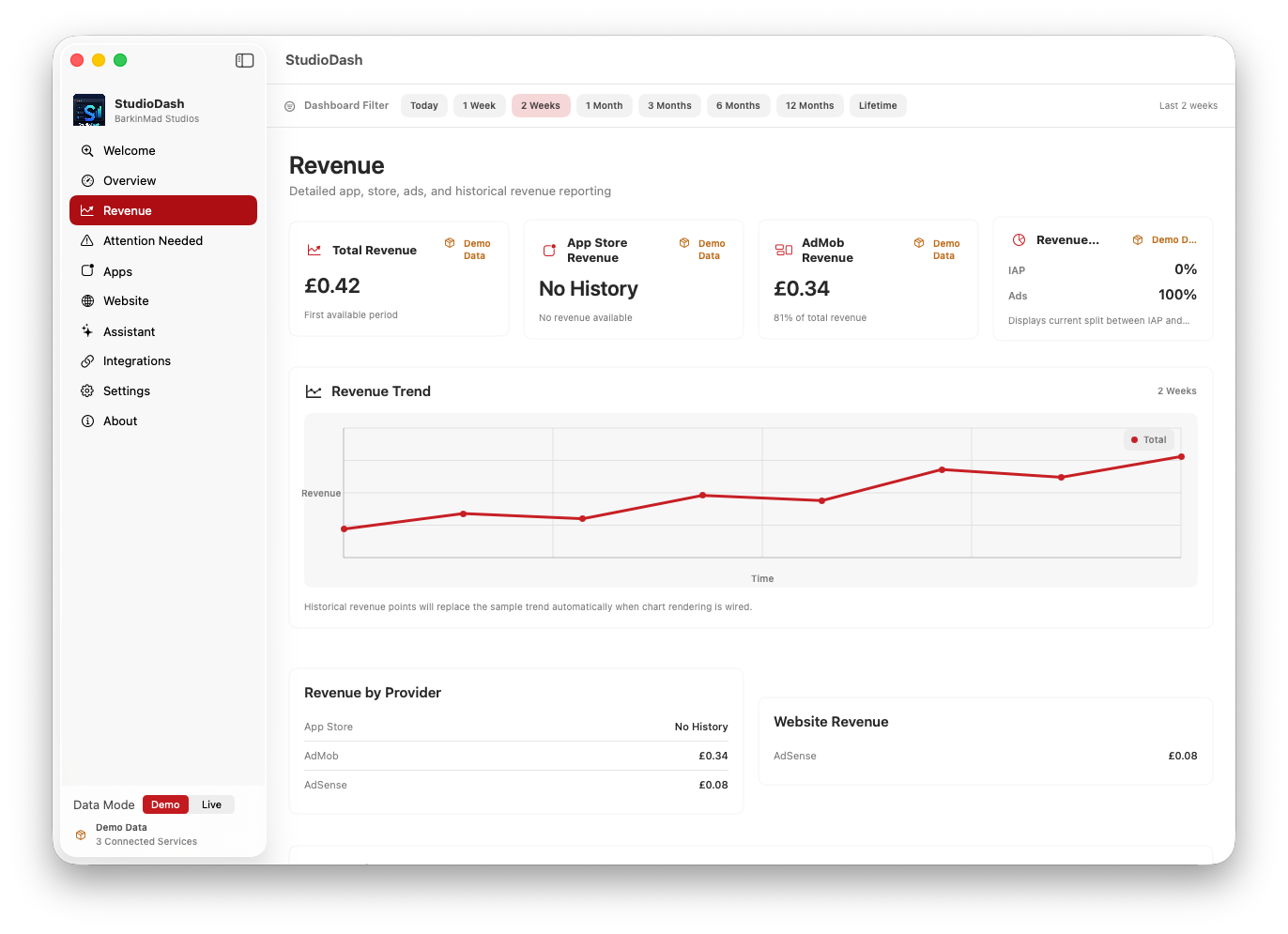
Analytics drilldown from one workspace

StudioDash uses dedicated views for app, revenue, website, and provider detail while keeping the navigation anchored in one product workspace.

The screen helps developers move from a broad health check to the area that explains the change: app status, provider coverage, advertising revenue, website traffic, search visibility, or sync state. That makes the overview useful as a starting point rather than a static marketing screen.

  • Supports public documentation for the current StudioDash product direction.
  • Explains how individual analytics pages fit into the overall workflow.
  • Keeps planned or unavailable provider data separate from live reporting claims.
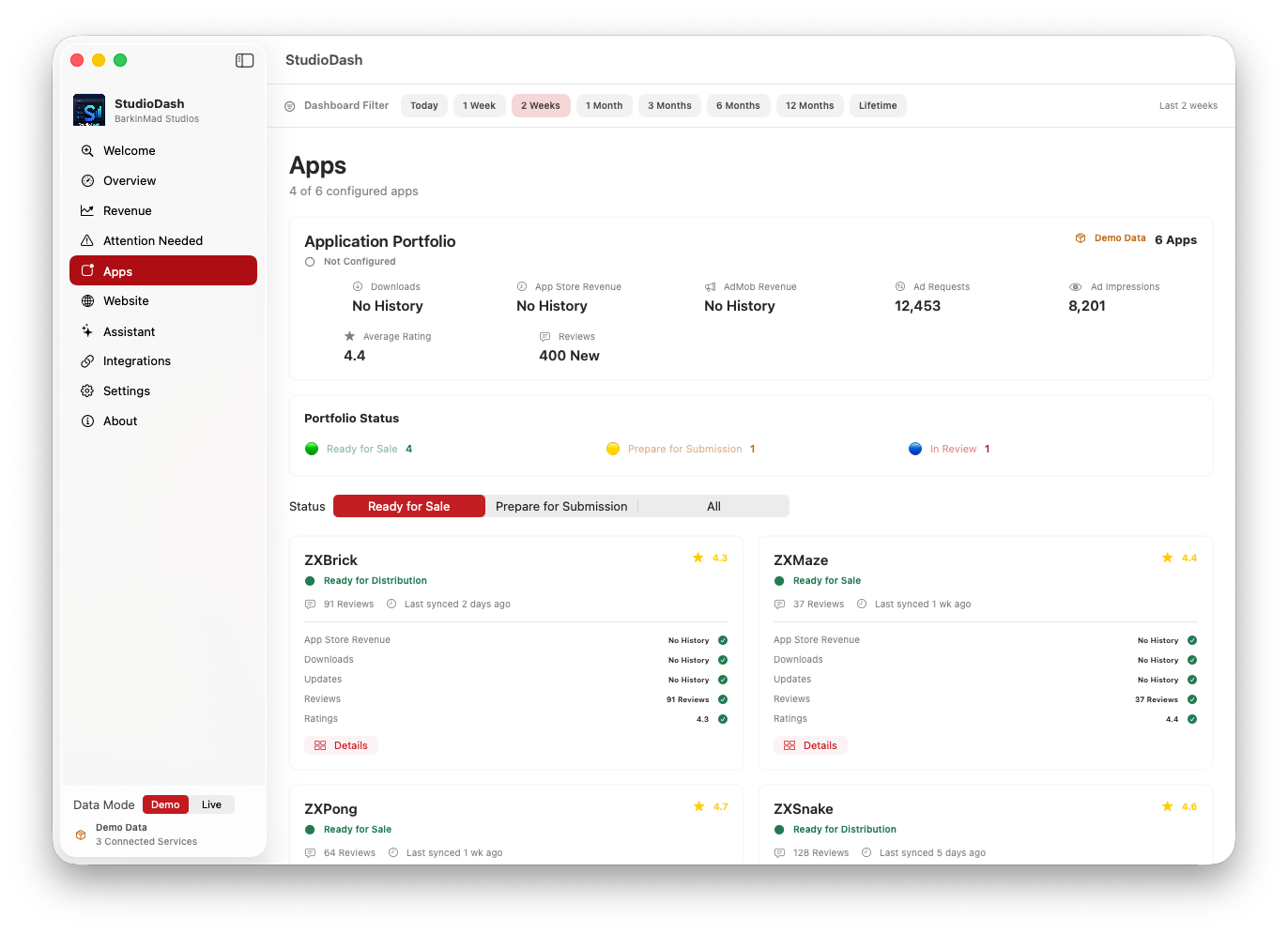
StudioDash app and provider analytics view with status and performance panels
Detailed views keep provider and app signals close to the main dashboard workflow.