
StudioDash Features

Contents

Manage Your App Portfolio

StudioDash is designed for developers who manage more than one app. Instead of checking each product separately, you can see your portfolio together and quickly understand which apps are performing well and which may need attention.

App Store information can be combined with data from other supported services, providing more context than looking at downloads, revenue or analytics in isolation.

  • View multiple apps together.
  • Follow App Store lifecycle and release status.
  • Monitor downloads, sales, ratings and reviews where available.
  • Compare performance across your portfolio.

Understand Where Your Revenue Comes From

Revenue can be spread across app sales, purchases, advertising platforms and other services. StudioDash brings supported revenue information together so you can understand how much your portfolio is generating without manually comparing separate provider dashboards.

Explore revenue over different periods, compare sources and identify the apps and services contributing to your studio.

  • See combined revenue from supported sources.
  • Explore revenue trends over time.
  • Understand how different sources contribute to your total.
  • Compare commercial performance across your apps.

Track the Business Behind Your Apps

StudioDash is designed to go beyond basic download and analytics reporting. Revenue, costs and business goals provide the context needed to understand whether your apps are moving towards the targets you have set for your studio.

By keeping commercial information alongside app performance, StudioDash can help you make better decisions about where to focus development, marketing and advertising effort.

Monitor Your Website and Search Performance

Your website is another part of your app business. StudioDash can bring supported website, analytics and search information into the same workspace as your app data.

This provides a convenient way to monitor visibility and website activity without treating your website as a completely separate reporting task.

  • Monitor website activity from supported analytics services.
  • Follow search performance and visibility.
  • Keep website information alongside your app portfolio.
  • Review longer-term website and search trends.

Connect the Services You Already Use

StudioDash works by bringing information from supported developer and business services into one place. You choose the integrations relevant to your studio and StudioDash organises their information into a consistent workspace.

As more services are connected, StudioDash can provide a broader view of your apps and business without requiring you to abandon the specialist platforms you already use.

Keep Your Data Up to Date

On Mac, StudioDash can keep supported provider information updated in the background. This reduces the need to manually refresh every service before you can see what has changed.

Provider health and synchronisation information make it clear when services are updating normally and when a connection may need your attention. Manual refresh remains available whenever you want to request the latest available information.

  • Background data updates on Mac.
  • Clear provider and synchronisation status.
  • Manual refresh when you need fresh information.
  • Previously collected data remains available for faster reporting.

Turn Daily Data into Useful History

StudioDash keeps useful historical information so you can look beyond today's figures and understand how performance changes over time.

Changing reporting periods and comparing trends can help reveal whether a change is temporary or part of a longer-term pattern across your apps, revenue or other connected services.

Designed for Apple Devices

StudioDash provides a native experience designed around Apple devices rather than putting another browser dashboard between you and your data.

The interface is designed to work equally well for a quick check of your studio and for exploring detailed information when something deserves closer attention.

Your Studio Data Matters

Connecting business services means working with information that deserves careful handling. StudioDash is designed with security and privacy as part of the product rather than treating them as optional extras.

You decide which supported services to connect, while StudioDash provides a central place to understand their status and the information they contribute.

Run Your Apps from One Workspace

Bring together the information you need to understand your apps and the business behind them.

StudioDash reduces the need to move between separate developer, advertising, analytics and website dashboards. App performance, revenue, connected services and business information come together in one native workspace, giving you a clearer picture of how your portfolio is performing.

  • Monitor multiple apps from one portfolio.
  • Bring together revenue from supported sources.
  • Follow App Store performance and release activity.
  • Monitor websites, search and analytics services.
  • Check connected services and data updates from one place.
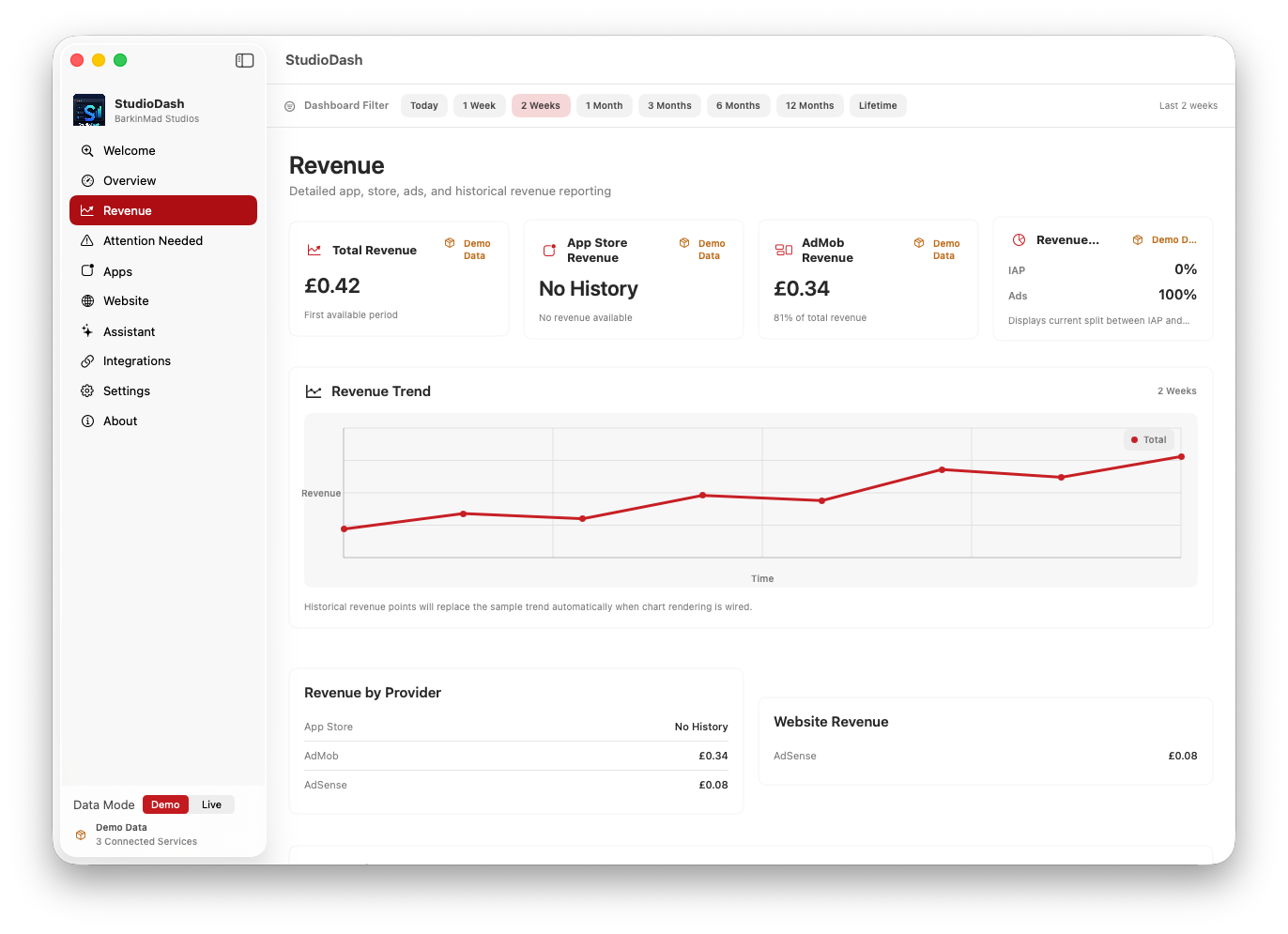
StudioDash showing app portfolio, revenue and developer analytics
One workspace for understanding your apps and your studio.