Visual walkthrough standard

This page uses Feature Showcase blocks rather than a legacy bottom gallery. Each screenshot is paired with what the screen shows, why it matters, the related StudioDash workflow, and key capabilities.

The current public image set remains `Screenshot1` through `Screenshot4`. Future dedicated screenshots can replace these placeholders without changing the walkthrough structure.

Portfolio dashboard overview

This screen shows the main StudioDash dashboard, where app, website, revenue, provider, and sync signals are brought into one operating view.

It matters because independent developers often need to check product health quickly before deciding where to spend time. The dashboard is designed to make that first pass faster than opening each provider separately.

The related workflow is the daily or weekly portfolio review: check overall status, spot missing data, identify providers that need attention, then move into specialist views for deeper analysis.

  • At-a-glance portfolio health for apps, games, and web products.
  • High-level revenue, traffic, provider, and sync context.
  • Entry point into dashboard, revenue, App Store, website, and integration detail pages.
  • Uses `Screenshot1` as the current placeholder until dedicated overview screenshots are produced.
StudioDash portfolio dashboard overview screenshot
The current dashboard overview placeholder shows how StudioDash starts with a broad product-health view.

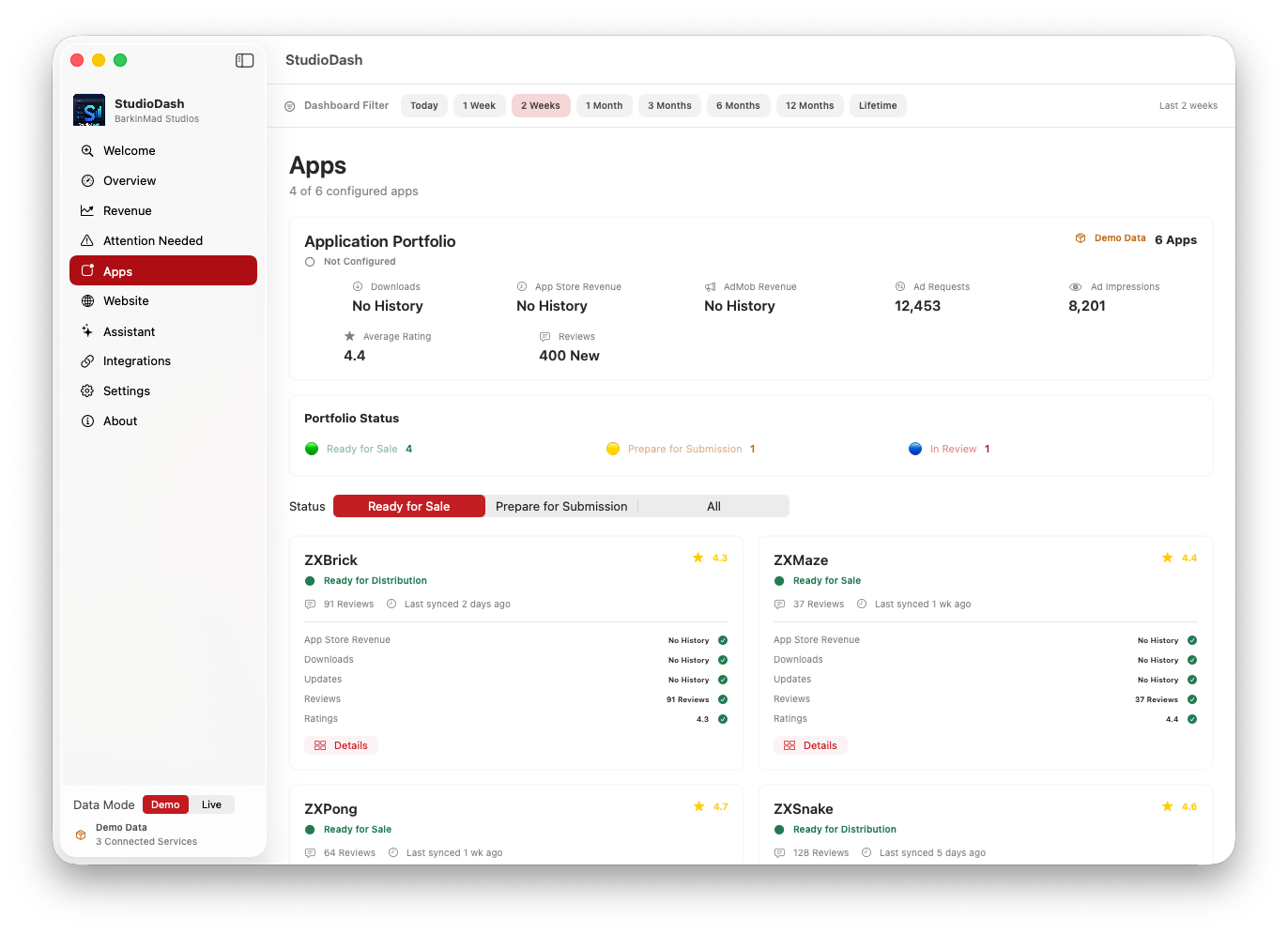
App and provider analytics

This screen represents StudioDash's app and provider analytics workspace, including App Store Connect context and provider-health language.

It matters because a missing or stale metric can mean several different things: account setup, provider availability, sync state, placeholder coverage, or a genuine product issue. StudioDash documentation keeps those meanings explicit.

The related workflow is provider review: confirm which integrations are connected, understand their current state, then use app-level views to interpret downloads, sales, ratings, reviews, and lifecycle status where live provider data is available.

  • App Store Connect status and analytics context.
  • Provider health and setup-state visibility.
  • Separation between live, placeholder, and planned integration coverage.
  • Uses `Screenshot2` as the current placeholder until dedicated provider screenshots are produced.
StudioDash app and provider analytics screenshot
The current provider analytics placeholder supports the integrations and App Store analytics walkthrough.

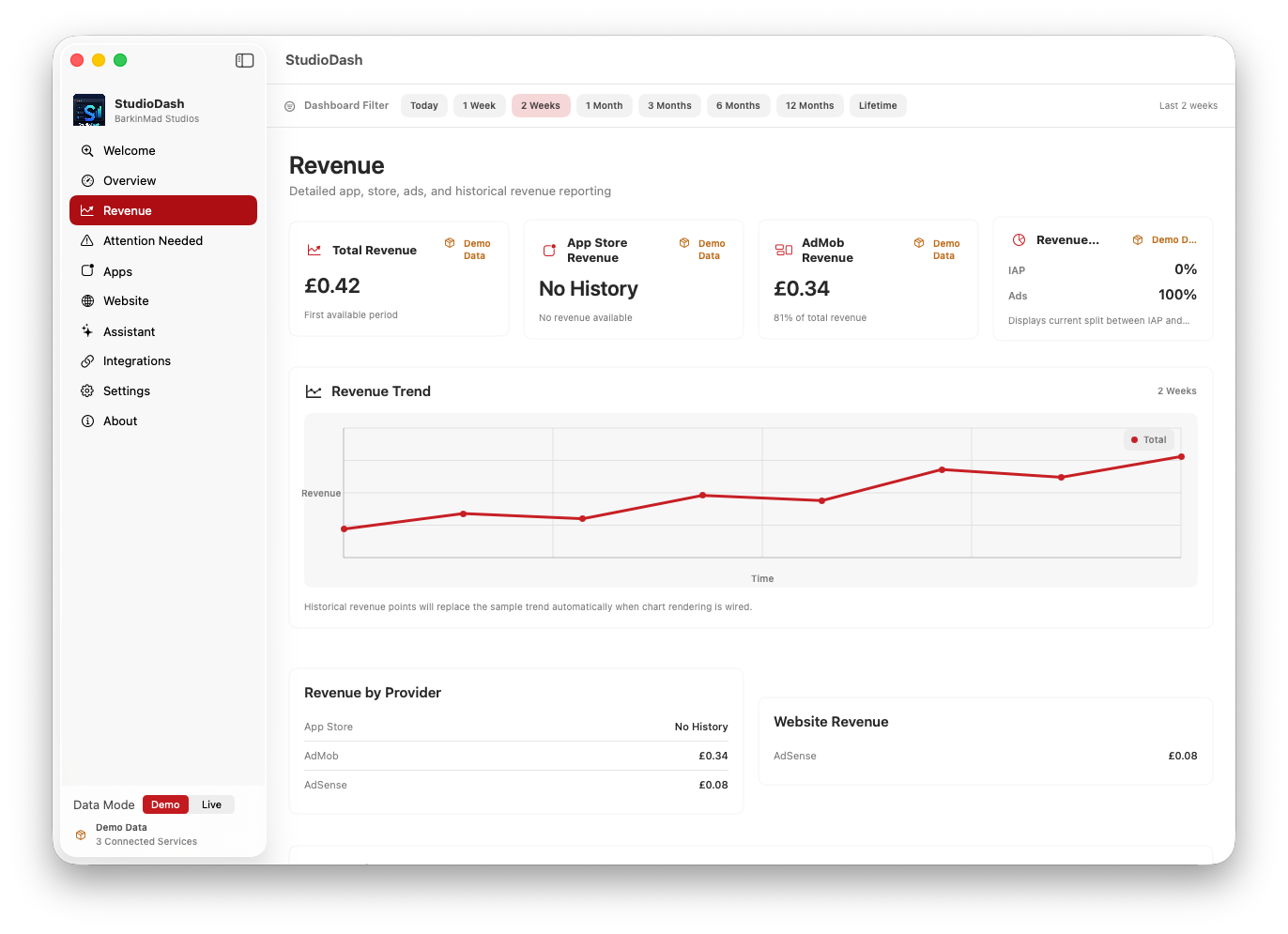
Revenue and trend review

This screen shows the revenue and trend-review side of StudioDash, where App Store, advertising, and period-based business metrics are reviewed together.

It matters because revenue checks are most useful when totals, provider context, time period, and trend direction are presented together. The page explains the kind of decision-making this screen is intended to support.

The related workflow is a revenue review: choose the reporting period, compare provider totals, identify unusual movement, and use reporting pages for follow-up summaries or export planning.

  • App Store, AdMob, AdSense, and provider revenue context where available.
  • Selected-period comparison and trend-review language.
  • Reporting and export planning context.
  • Uses `Screenshot3` as the current placeholder until dedicated revenue screenshots are produced.
StudioDash revenue and trend review screenshot
The current revenue placeholder supports revenue analytics, trend review, and reporting documentation.

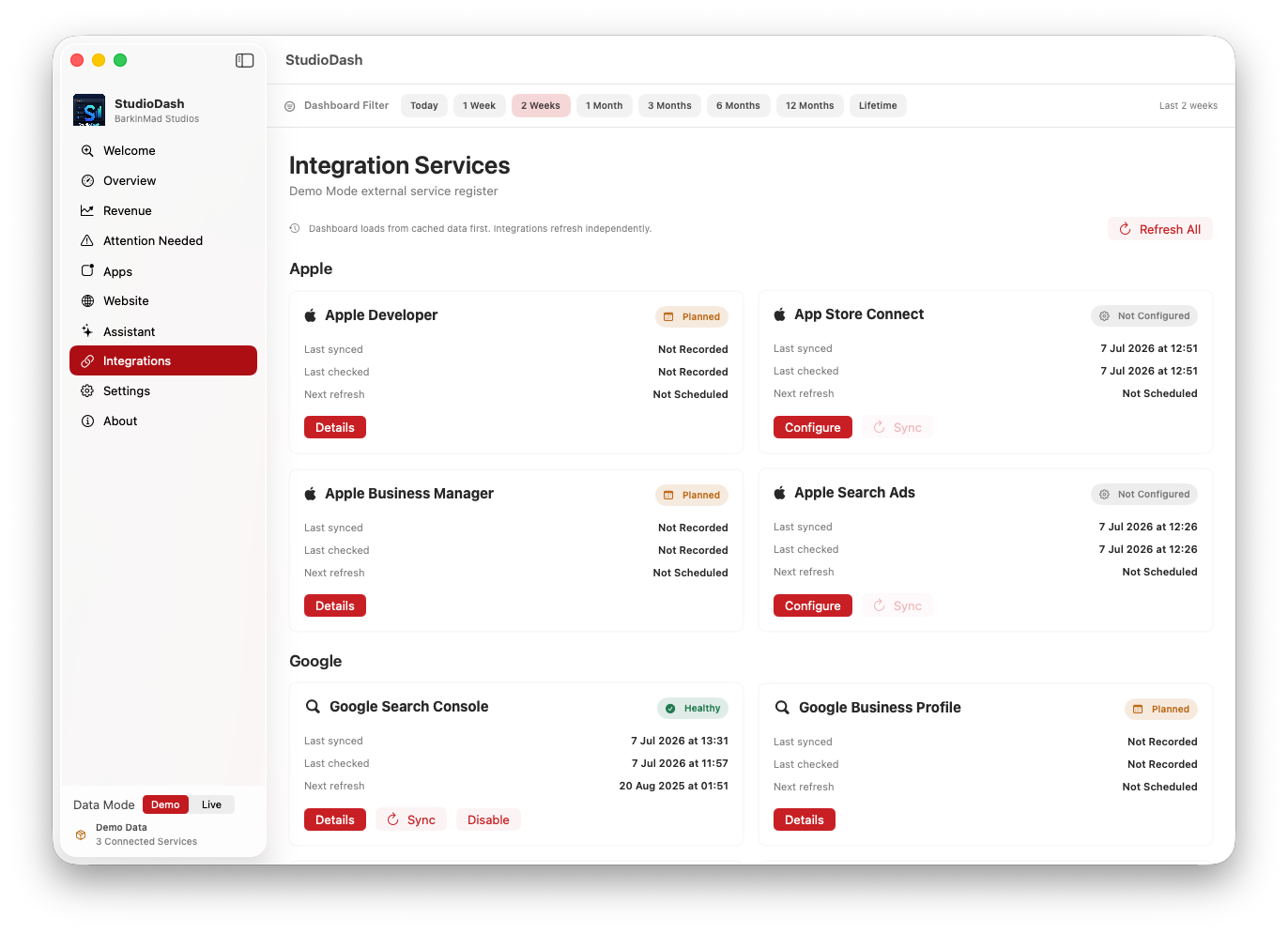
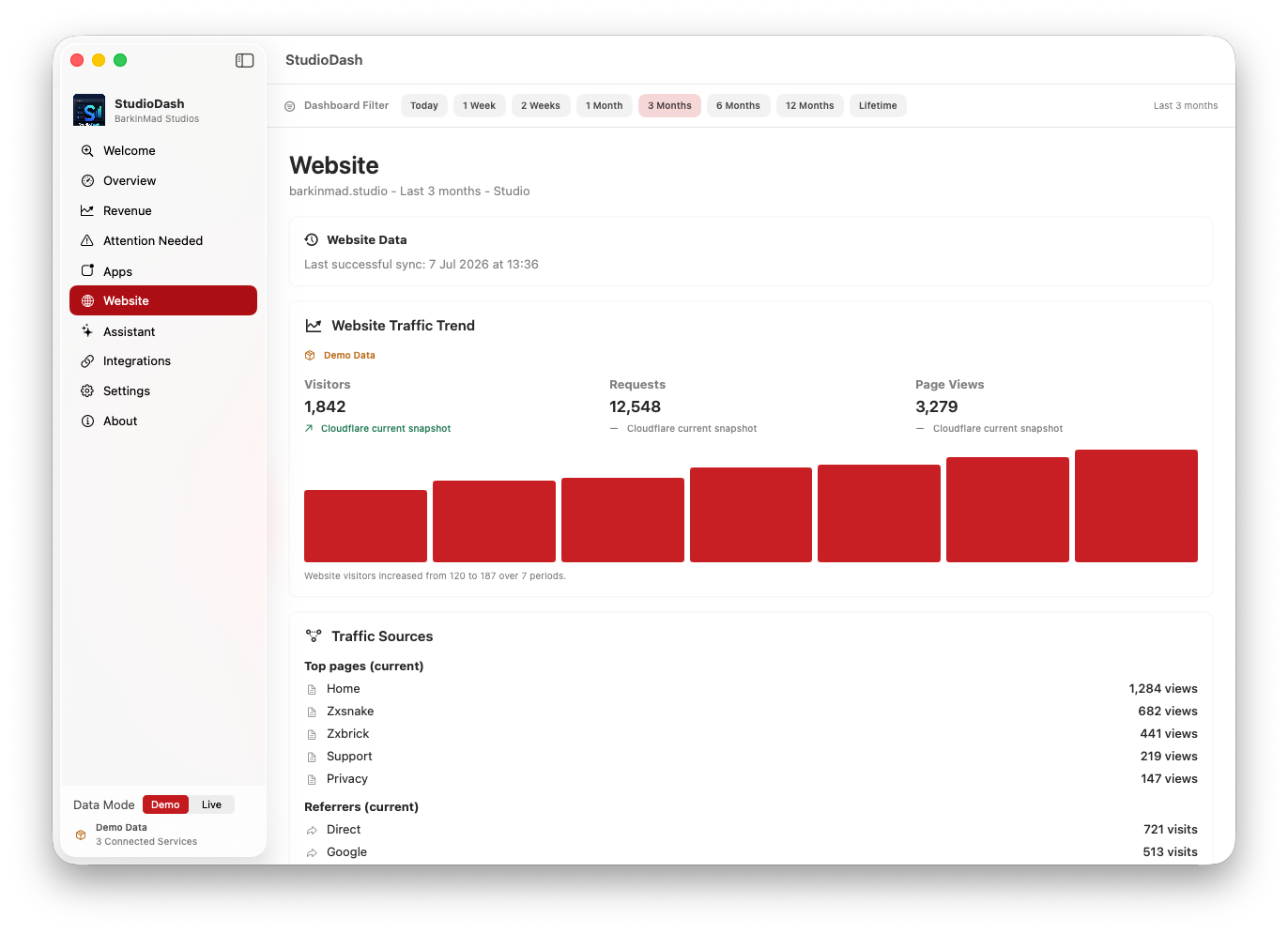
Website, SEO, and sync insight

This screen represents the website, SEO, integration, and sync areas where Cloudflare, Search Console, provider status, and automation signals are reviewed.

It matters because product visibility is not only an app-store problem. Developers also need to understand website traffic, search visibility, provider freshness, and sync confidence before they trust a dashboard view.

The related workflow is operational follow-up: check whether website and search data is present, review provider freshness, refresh data when needed, and keep privacy expectations clear when live accounts are connected.

  • Cloudflare and Google Search Console context for website visibility.
  • Provider freshness, manual refresh, and sync-status concepts.
  • Security and privacy context for connected developer accounts.
  • Uses `Screenshot4` as the current placeholder until dedicated website and sync screenshots are produced.
StudioDash website SEO and sync insight screenshot
The current website and sync placeholder supports website analytics, automation, and security walkthrough content.