Contents

Security principles

StudioDash handles provider integrations that can involve sensitive account, analytics, revenue, website, advertising, and app-status data. Public documentation therefore focuses on user-facing principles rather than low-level implementation details.

The product direction is to keep credentials protected, use provider-specific access where possible, avoid exposing secrets in the interface, and make setup state understandable. Security copy should help users make good configuration decisions without encouraging broad account access when narrower reporting access is enough.

  • Request only the provider access needed for the selected integration and reporting surface.
  • Store secrets through the app's credential handling path rather than treating public configuration text as a credential store.
  • Display saved-securely, setup, validation, and provider-health states without showing secret values.
  • Keep public documentation free from private account IDs, tokens, keys, diagnostics, and unreleased operational details.

Provider access

StudioDash provider setup depends on the provider. Google-backed integrations are documented around OAuth-style consent where supported. App Store Connect and Cloudflare use provider-specific access details such as App Store Connect API credentials or Cloudflare tokens and account/zone identifiers.

Users remain responsible for choosing provider permissions that match their own account policies. The safest setup is normally the narrowest setup that still allows the intended analytics, reporting, or validation task.

  • App Store Connect access can involve issuer ID, key ID, private key, and vendor-number configuration for supported reporting paths.
  • Cloudflare access can involve an API token plus non-secret account, zone, and domain identifiers.
  • Google integrations should use OAuth consent where available rather than asking users to paste passwords or unmanaged refresh tokens.
  • Provider permissions should be reviewed in the provider's own dashboard before connecting them to StudioDash.

Local data and cache

StudioDash is a native Mac and iPad product, so the user experience depends on local app data as well as provider access. Local dashboard storage, provider cache, sync cursors, and derived metrics can help the app show selected-period history without constantly refetching every provider.

Public documentation should describe this at a practical level: StudioDash may store operational dashboard data and provider-derived history locally so the dashboard can display previous periods, cache state, and provider coverage. It should not publish internal cache paths, private diagnostics, or account-specific records.

  • Operational dashboard data may include app, revenue, website, provider, and sync-state records.
  • Provider cache and history should be treated as user data, not public marketing content.
  • Demo data, sample data, placeholder integrations, and live provider data must remain clearly labelled and separate.
  • Clearing local app support data may remove user tokens, account metadata, sync cursors, and cache files while app configuration remains a separate concern.

Privacy-aware dashboard

StudioDash is intended to display operational product and business metrics, not sell or publish those metrics. The dashboard should help a user understand their own products while keeping private account details private.

Public website content should avoid private revenue values, credentials, unpublished diagnostics, internal project notes, and anything that could imply BarkinMad Studios has access to another developer's provider accounts outside the app's configured provider connections.

  • Use clear status wording instead of exposing raw provider errors unnecessarily.
  • Avoid screenshots or documentation examples that reveal private accounts, tokens, customer data, or unpublished business metrics.
  • Make it obvious when a page is discussing roadmap behavior rather than a released security feature.
  • Keep provider dashboards as the authority for account administration, access revocation, and permission management.

Privacy-aware operating view

StudioDash presents sensitive operational metrics without turning public documentation into an implementation or credential guide.

The security and privacy model is user-facing: users need to know what kinds of provider access are involved, why setup state matters, and how live data differs from demo or placeholder content. Public pages deliberately avoid exposing private account details, credentials, unpublished diagnostics, or internal implementation notes.

  • Uses provider-specific access patterns such as App Store Connect credentials, Cloudflare tokens, and Google OAuth where appropriate.
  • Keeps secrets out of visible dashboard copy and public documentation.
  • Separates live provider data from demo data, placeholder rows, planned integrations, and roadmap examples.
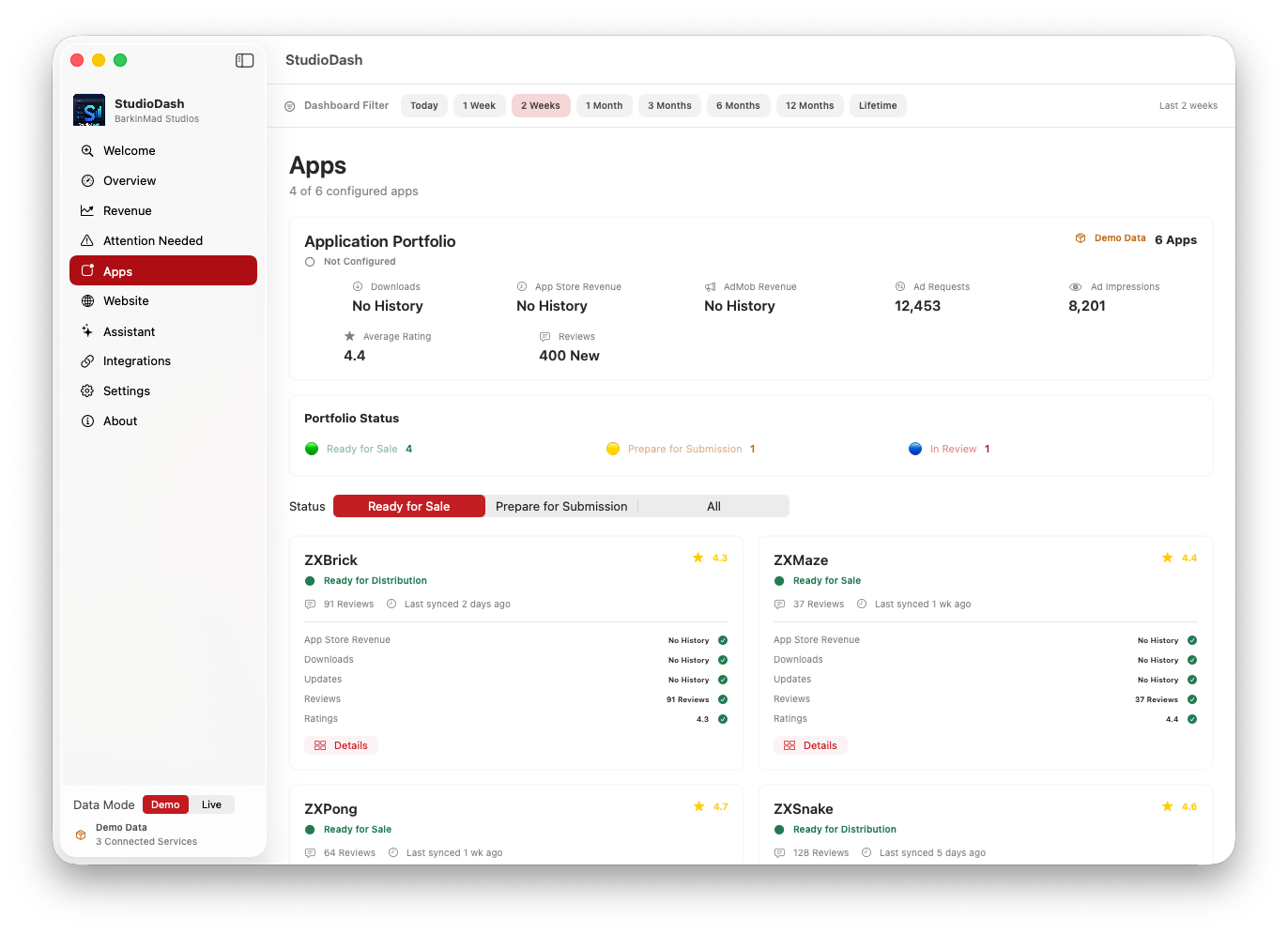
StudioDash provider status screen used as a temporary security and privacy showcase
Provider status artwork is used as the temporary security showcase until dedicated privacy screenshots are available.